Katana, a free and open source video editor for Windows and Linux
A free, open source video editor for Windows and Linux. Fast, minimalist and multitrack: compositing, text overlays, lossless export and a snappy UI, in a tiny native app.
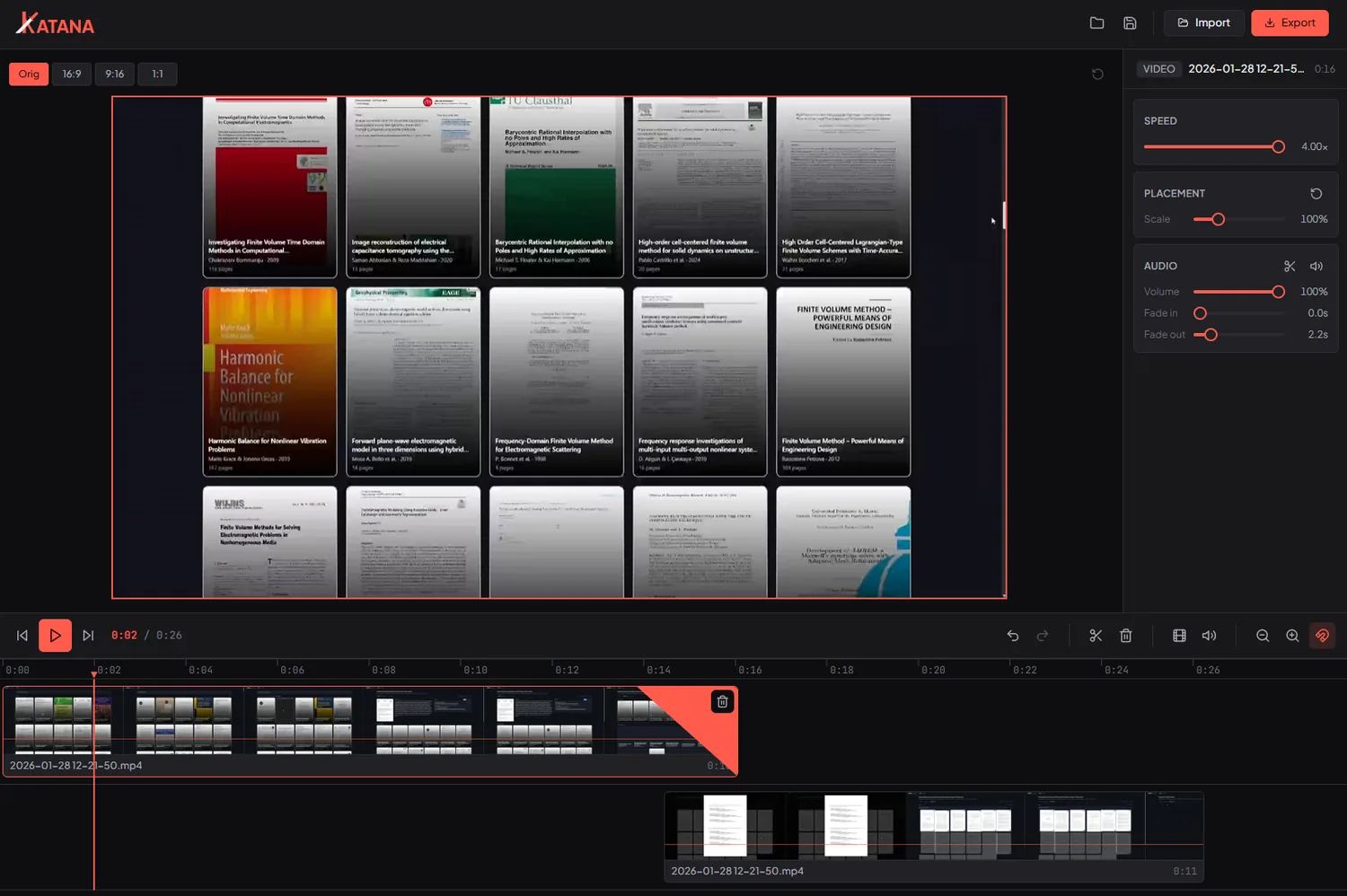
Multitrack compositing
Layer clips on a real viewport canvas: place, scale and snap. Picture in picture, split screen, overlays.
Text overlays
Add styled titles: pick a font, color, alignment and outline, then place, scale and fade them like any clip.
Lossless export
Copies the stream when nothing needs encoding again: trim and export in seconds with zero quality loss.
Frame accurate
Step frame by frame, and the timeline runs at your fastest clip frame rate, so nothing gets downsampled.
Snappy playback
GPU accelerated dragging, a frame accurate clock and instant scrubbing. The UI keeps up with you.
Audio you control
Detach audio to its own track, import music, mix and fade. Waveforms and audio scrubbing built in.
Tiny & native
Built on Tauri: a small, fast desktop app with bundled FFmpeg. No bloated runtime.
Open source
MIT licensed and hackable. A clean SvelteKit + Rust codebase you can read and extend.
How Katana compares
| Feature | Katana | Clipchamp | OpenShot | Shotcut |
|---|---|---|---|---|
| Open source | ✓ | ✕ | ✓ | ✓ |
| Free, no watermark | ✓ | ✓ | ✓ | ✓ |
| No account or sign-in | ✓ | ✕ | ✓ | ✓ |
| Tiny native app | ✓ | ✕ | ✕ | ✕ |
| Multitrack compositing | ✓ | ✓ | ✓ | ✓ |
| Lossless stream-copy export | ✓ | ✕ | ✕ | ✕ |
| Works fully offline | ✓ | ✕ | ✓ | ✓ |
| Cross platform | ✓ | ✕ | ✓ | ✓ |
Comparison reflects each editor as of 2026. Katana ships for Windows and Linux, and is proud of what it does well: speed, a clean UI and lossless export.
Why Katana?
Honestly? I was sick of Clipchamp. Slow, clunky, fighting me at every cut, with a UI that lagged behind my own clicks. So I built the editor I actually wanted: a fast, minimal, open source Clipchamp alternative that stays out of the way. Trim, compose, export, done.
Frequently asked questions
- Is Katana free?
- Yes. Katana is completely free and open source under the MIT license. No paid tiers, no watermark, no sign up.
- Is Katana open source?
- Yes. The full SvelteKit and Rust codebase is MIT licensed and public on GitHub, so you can read, fork and extend it.
- Which platforms does Katana run on?
- Katana ships for Windows and Linux (64 bit): an NSIS or MSI installer on Windows, an AppImage or .deb package on Linux. It is built on Tauri, so a macOS build is possible down the line.
- Is Katana a good Clipchamp alternative?
- That is exactly why it exists. Katana is a fast, minimal, offline desktop editor with no account required, built by someone who got tired of Clipchamp.
- Does Katana need an internet connection or an account?
- No. Katana is a native desktop app that runs fully offline. No login, no cloud, no telemetry.
- What formats can Katana export?
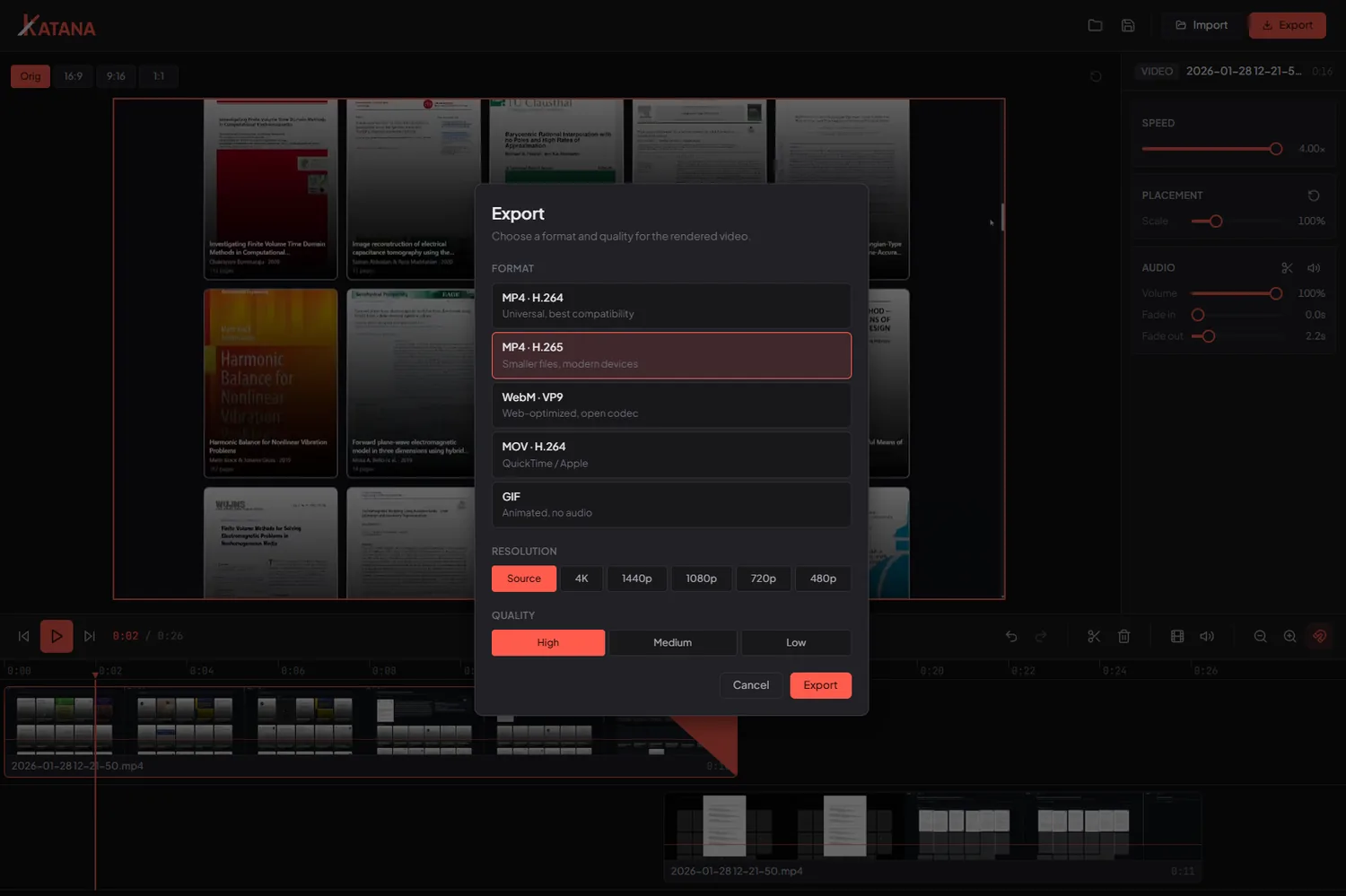
- MP4 (H.264 and H.265), WebM (VP9), MOV and GIF. When a clip needs no re-encoding, Katana copies the stream for a lossless export in seconds.
- Can Katana add text to videos?
- Yes. Add styled text overlays with a font, color, alignment and outline, then place, scale and fade them on the timeline like any other clip. The export draws the same fonts, so titles look identical to the preview.